
Parents and legal teams · 5 min read
Choose an export and check the handoff
Choose a report, screenshot PDF, or private backup, then make sure the intended recipient can find the supporting originals.
Updated · Website and iOS workspace
Before you start
Confirm the recipient, purpose, requested dates and desired format. For a legal-team request, check what was actually requested. A download does not send a message, give someone case access, or file anything with a court.
Follow these steps
Choose the scope
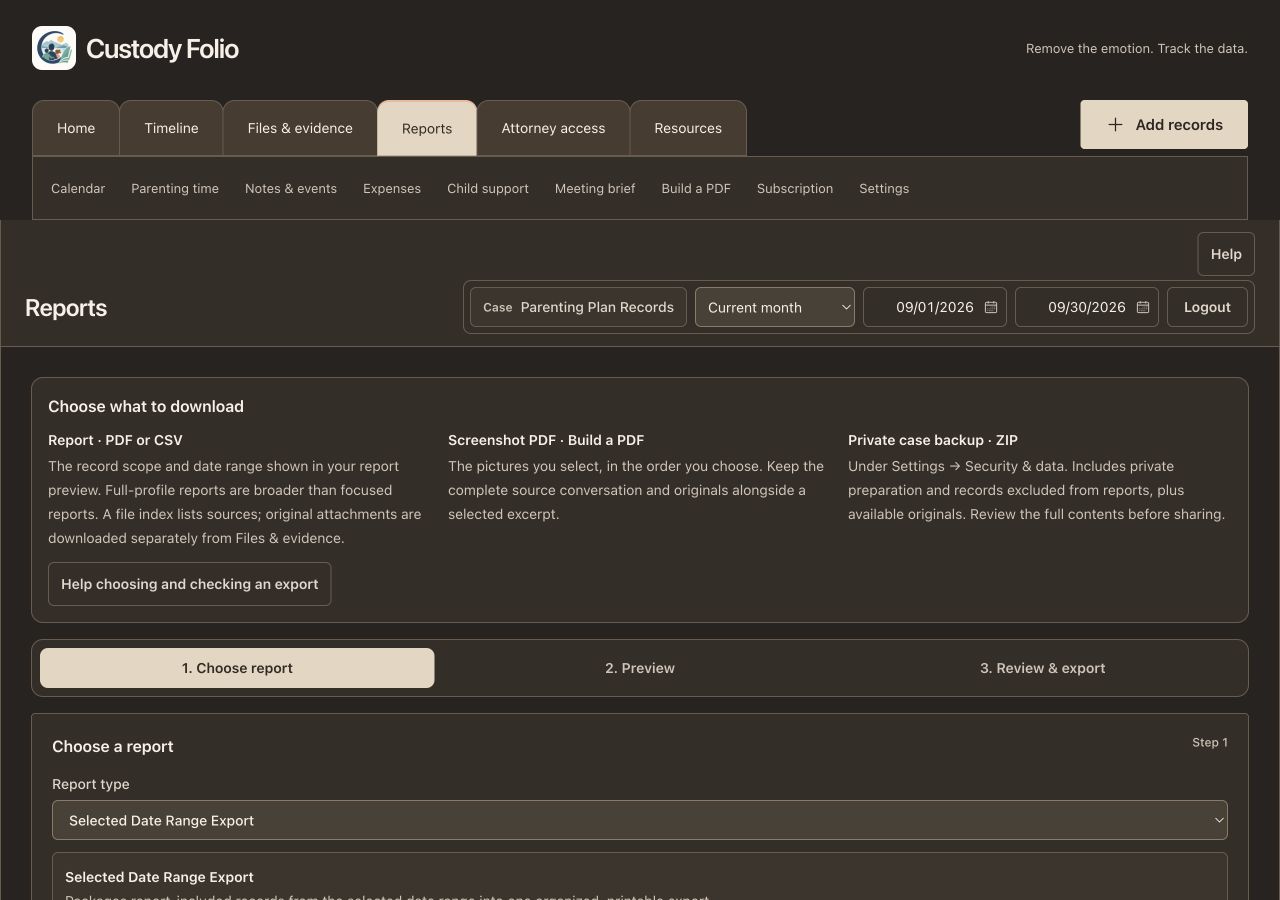
Use Reports for recorded information in PDF or CSV form. Read the report-type description and preview: broader full-profile reports can include saved notes or file-index entries excluded from focused reports. Private event drafts are separate preparation. Legal-team exports also follow the checked record selection.
Choose a screenshot PDF when you need arranged pictures
Build a PDF contains only the images you selected in the chosen order. It is a derived document. Retain the source images and the complete conversation separately when the PDF is an excerpt. This differs from a report of your dated records.
Keep a private backup for your own archive
The case owner can open Settings → Security & data → Private case backup · ZIP. It includes case data, private preparation, records excluded from reports, a readable report, structured rows and available originals. Review all contents before sharing. Legal-team guests use their reports and original downloads; they do not receive this owner backup control.
Collect the relevant originals
A report file index identifies supporting files but does not embed their originals. Download the required originals separately from Files & evidence and keep their filenames. For an owner ZIP, retain every part, read START-HERE.txt and check file-index.json for each original's location and availability. Missing originals are listed; retry or download them separately.
Check the handoff outside Folio
Open the actual PDF and supporting files on your device. Pick an entry in the file index and find the matching original by filename. Check date range, context, readable text and page order. If you plan to print, check the printed or print-preview pages too. Keep selected deliverables in a clearly named folder.
Share the reviewed selection deliberately
Send only the files you intended through your chosen channel, with a short explanation of the selection and anything missing. Do not use a full private backup as a substitute for selecting material. Attorney conversations have their own downloads, and ending app access cannot recall copies someone already downloaded.
Check that it worked
You can open the deliverables without signing back into Folio, find a cited original, and explain the selection and any missing material. The package you intend to share has the expected scope, rather than unintentionally including a full private backup.
An example to follow
Fictional example: your attorney asks for September pickup notes and the scheduling message. Export the relevant date range and notes, check the file index, and download the matching original message file. Put those reviewed deliverables together with a note that explains the dates. Keep your complete case ZIP, including private meeting preparation, separately for your own backup.
If you get stuck
I can see a filename in the report but cannot open an attachment.
The index is a reference, not an embedded attachment. Download the original from Files & evidence while it is available. In a case ZIP, check START-HERE.txt for missing originals and file-index.json for the correct part. Metadata-only local records do not retain original bytes.
There are records in the backup that I excluded from reports.
That is the intended scope of a full private case backup, including private preparation. Use a reviewed report and selected original downloads for a narrower handoff. Read the report-type description and preview, since full-profile reports are broader than focused reports.
Does a backup restore itself or include all attorney messages?
No. The downloaded archive does not automatically restore itself into the app. Attorney conversations are separate; use the download inside each conversation when needed. Keep all archive parts together and inspect them before relying on the backup.
Watch the walkthrough
- Prepare and export a report · 0:47
- Build a PDF from pictures · 0:45
- Attorney files, audio, and originals · 0:46
- Build and export an attorney report · 0:47
- Back up data and manage account deletion · 1:13
Videos include captions and written transcripts.
Related guides
Still need help? Contact support with the screen name and error wording. Leave out private case details. These instructions explain the product and do not provide legal advice.