
Parent workspace · 3 min read
Track an expense and reimbursement
Record a cost once, then update that expense when reimbursement arrives.
Updated · Website and iOS workspace
Before you start
Have the date, amount, payer, and any receipt available. These fields document what you recorded; saving an expense does not request or transfer money.
Follow these steps
Open Expenses → Add expense
Open More tools → Expenses on a computer, or More → Expenses on a phone. Check Expense date, choose a category, describe the cost, and enter the amount, currency, and Paid by label.
Record the reimbursement details you know
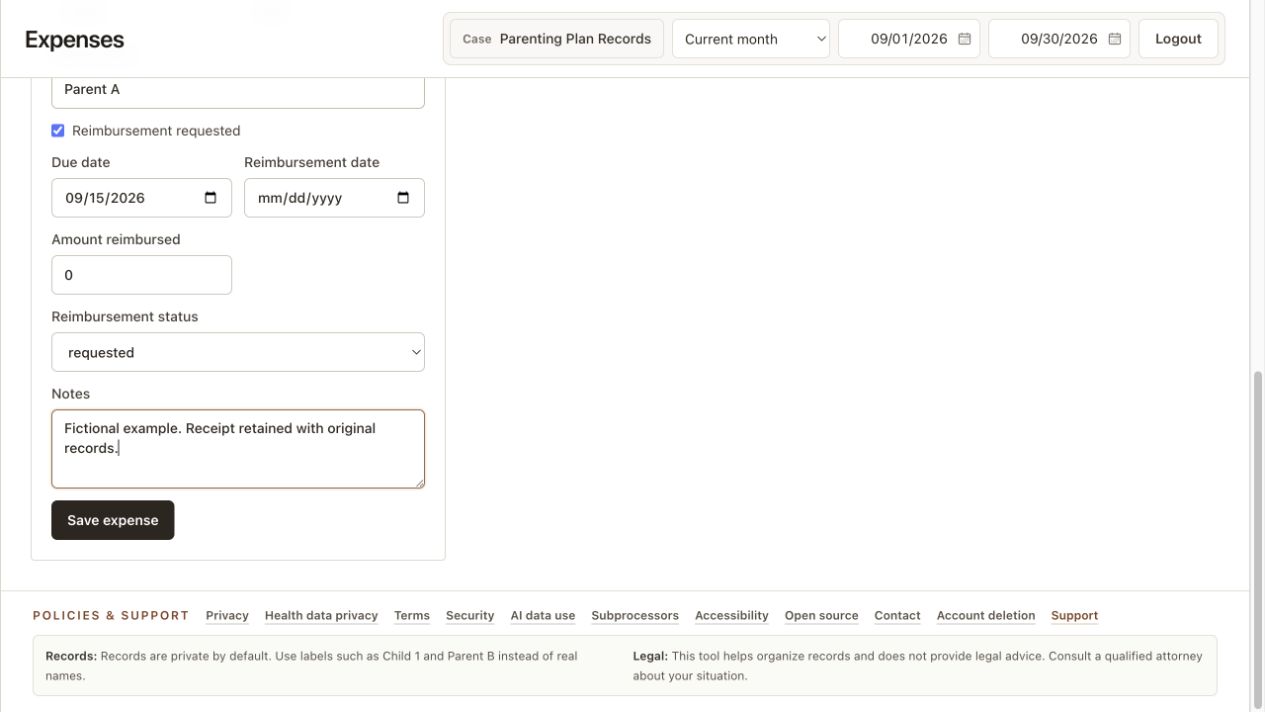
Use Reimbursement requested if applicable. Enter a due date only when you have a source for it. Set the current Reimbursement status and record any amount already reimbursed and its date.
Save the expense
Choose Save expense and wait for the saved message. Open History to confirm the date, amount, description, and status. Keep one expense entry for the cost rather than adding the same receipt as another expense.
Link the receipt to this expense
After saving, open Receipts. Upload or photograph a receipt, or choose an existing original. In History, Receipts for each expense reopens its linked files. A receipt already linked to another expense must be reviewed there before reuse; unlinking preserves the original in Files.
Update the existing entry when money arrives
In History, select Edit expense for that cost. Update Amount reimbursed, Reimbursement date, and Reimbursement status, then choose Update expense. Amount reimbursed is the total received for that expense, not an additional payment to add to the prior value.
Choose the scope of an export
Expenses overview totals cover saved expense records. For a particular period, open Reports and select the intended date range. Compare the preview with your receipts and payment confirmations.
Check that it worked
History contains the expense once with the current reimbursement details. The remaining amount reflects the cost and reimbursement totals you entered.
An example to follow
Fictional example: an expense is $40. You first receive $10 and enter $10 as Amount reimbursed. After another $15 arrives, edit the same expense and change the total reimbursed to $25. The remaining amount is $15.
If you get stuck
The total does not match my date filter.
The Expenses overview covers all saved expense records. Use Reports for a custom date range and verify the report's selected type and included rows.
A partial payment still looks unpaid.
Check both Amount reimbursed and Reimbursement status. Update the existing expense, save it, and reopen History to confirm the new values.
Is this a payment request or an official balance?
No. This is a record of the costs and reimbursements you entered. Compare it with your receipts, payment records, and the instructions relevant to your situation.
Watch the walkthrough
Videos include captions and written transcripts.
Related guides
Still need help? Contact support with the screen name and error wording. Leave out private case details. These instructions explain the product and do not provide legal advice.